
Pope County Court Calendars Explained
The Pope County District Court posts a daily public calendar PDF covering scheduled public matters. Think of it as a hearing list. It is not a census of every case in the court record. The official Pope court page posts the PDF at 7:00 a.m. each business day. It refreshes the file hourly. Cases, judicial assignments, and hearing locations can all shift after you open your copy.
The calendar is one layer of a bigger record system. MCRO's Register of Actions gives the case chronology. MCRO Hearing Search finds settings. The Pope PDF is the county's current public list. The court calls the printed calendars outside courtrooms and in lobby areas the most current daily information. Protected and non-remotely-accessible cases may be left out of the PDF.
Pope Daily PDF Calendar Fields
Eight fields do most of the work in the Pope daily PDF. They are Party Name, Hearing Location, Hearing Date, Time, Judicial Officer, Hearing Type, Connection Type, and Case Number. Search by a complete case number when you can. Names are less precise, and some parties and protected cases never appear publicly. Read the fields for what they are. A hearing location is not a result. A hearing type tells you the stage, not how the case ends.
| PDF field | What it answers |
|---|---|
| Case Number | Links the calendar line to the MCRO/MNCIS case record. |
| Hearing Date and Time | Shows the scheduled setting, subject to later change. |
| Hearing Location | Shows a courthouse, courtroom, or remote location when supplied. |
| Hearing Type | Names the setting, such as arraignment or conciliation hearing. |
| Connection Type | May show the remote or in-person convention, but can be blank. |
Minnesota Rule of Public Access 8 governs this territory. It spells out inspection, copying, remote access, and the limits that apply to court records.
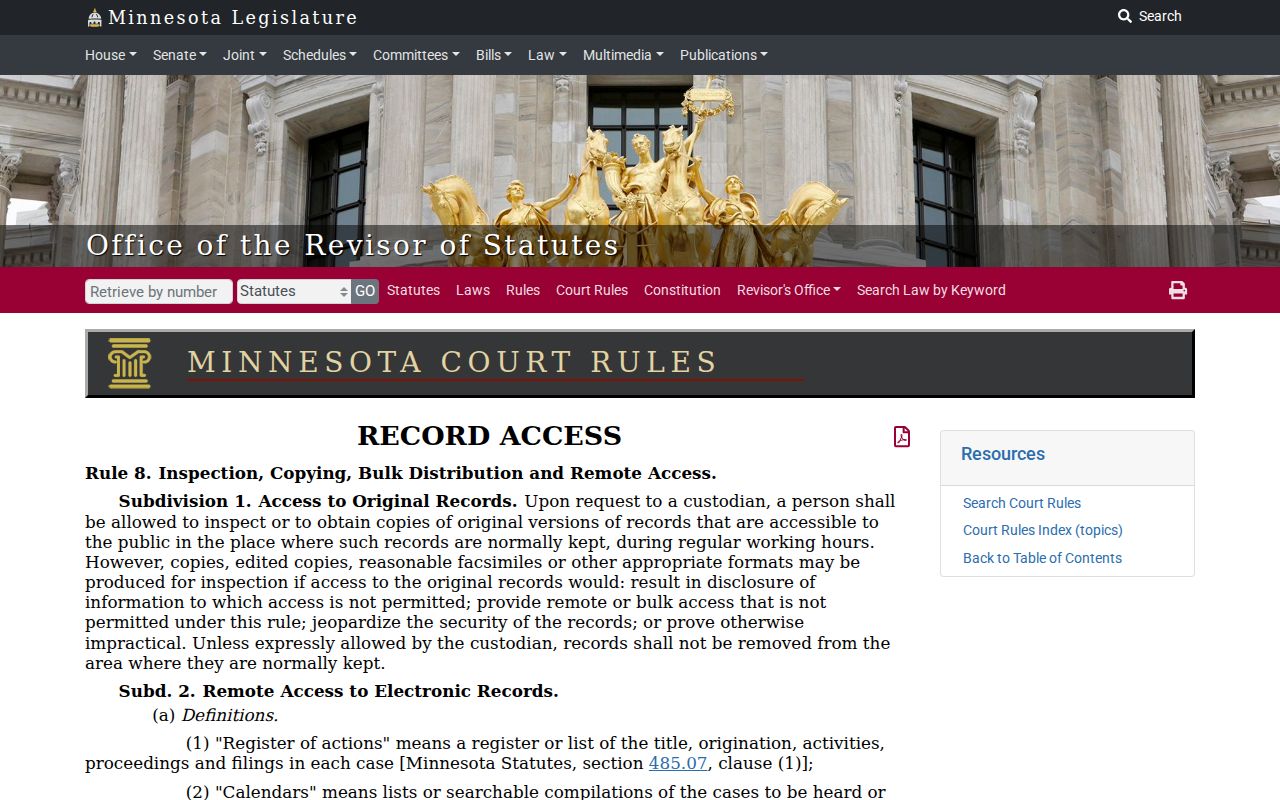
The rule's page shows the framework itself: inspection and copying are allowed, yet the limits still stand. For any specific setting, the current Pope calendar and the case record answer the question.
Finding Your Pope County Court Date
Check the citation, summons, notice, or order first. That document often states the original appearance instruction. Next, search MCRO Hearing Search with a complete case number. If you lack the number, MCRO also searches by person or business name, attorney, and judicial officer. Those searches run within the portal's public-access limits. Look in the case register for the newest hearing event, since an older entry can linger in history after a reset.
- Read the current citation, notice, summons, or signed order for the original instruction.
- Use MCRO Hearing Search with a complete case number, or an allowed name, attorney, or judicial-officer search.
- Open the case Register of Actions and compare its newest setting entries and orders.
- Open the current Pope daily PDF and check date, time, location, judicial officer, hearing type, and connection type.
- For a missing, protected, changed, or imminent setting, check the printed calendar and call Pope County District Court Court Administration at (320) 424-7170.
MCRO is the statewide search layer. Pope County offers no separate county-built public case portal. Court Administration is the local fallback for questions a public terminal, an older file, or a restricted record raises.
Pope Court Setting Labels
Pope calendars carry labels such as Initial Appearance, Rule 8; Arraignment; First Appearance; Jury Trial; Contested Revocation Hearing; Conciliation Hearing; Default Hearing; Contested Omnibus; Evidentiary Hearing; Probation Violation Hearing; and Settlement Conference. These labels come from Pope material. No single day's calendar will carry them all. Read each one beside the case register and the notice to get its meaning.
- Arraignment
- A criminal appearance that addresses the charge and plea-related process.
- Conciliation hearing
- A setting in the lower-dollar civil process that remains within District Court.
- Default hearing
- A hearing about a default issue, not itself proof of a default judgment.
- Contested omnibus
- A contested criminal pretrial hearing involving legal or evidentiary issues.
- Settlement conference
- A conference intended to help resolve a matter; it is not a judgment.
A jury-trial line means a trial is set. It does not mean the trial will proceed as scheduled. A probation-violation hearing likewise names the type of issue, and the later order gives the outcome. The wording in the full record is what matters.
How to Read a Court Setting
Read a Pope County court setting as a set of fields, not one promise. Date and time tell you when the event is scheduled. Hearing location names a courthouse, courtroom, or remote spot when the calendar supplies it. Judicial officer identifies the assigned judge or officer. Hearing type describes the procedural event. Connection Type hints at format. But a blank field means little. It does not confirm the setting is in person or remote.
| Date | The scheduled calendar date, which may later be reset or continued. |
|---|---|
| Time | The listed start time for the setting. |
| Hearing location | Courthouse, courtroom, or remote location when the public calendar provides it. |
| Judicial officer | The judge or officer assigned on the calendar line. |
| Hearing type | The local label for the procedural event. |
| Connection type | Remote or in-person convention when populated; do not infer it from a blank cell. |
Pope Calendar Absence Is Not Cancellation
A missing line in the Pope County daily PDF proves nothing. The court warns the calendar is not complete. An absent name or case number does not mean a hearing was cancelled, rescheduled, or never filed. Confidential and non-remotely-accessible matters are excluded outright. The displayed calendar can even change during the day. Confirm instead of concluding from one absent line.
When a setting is uncertain, work the hierarchy. Start with the newest official order or notice. Then check the newest Register of Actions entry. Move to the current PDF or printed lobby calendar, and finally Court Administration. That order puts case-specific directions ahead of a general public planning tool. It also keeps you from mistaking an old MCRO hearing event for the current date.
Note: A current-day hearing can still sit under MCRO's Upcoming view. Compare the date and the event history rather than trusting one screen label.
Continuances, Resets, and Cancellations
Court dates shift, sometimes after the public calendar already exists. Pope County's Register of Actions keeps the old setting in its history. It then adds the later entry. That entry might be a continuance, a reset, an order, or a brand new hearing. A pass or rescheduled date is not a disposition. It moves the schedule only. The legal result stays untouched.
Suppose the newest register event disagrees with an older calendar line. Trust the newest signed order. Or get confirmation straight from Court Administration. Weather, holidays, courtroom switches, and judge-specific decisions can all bend a daily PDF. Pope County also gets no fixed number of days for every reset here. So no universal timing rule applies.
Pope Hearing Format Needs Confirmation
Hearing formats in Minnesota district courts changed effective February 3, 2025. Under the oneCourtMN hearings initiative, case type now assigns a default format. A judge can depart case by case. The shift does not make every Pope County hearing remote. Nor does it make them all in person. For any one setting, check the current notice and the case register. Check the daily PDF too. A call to Court Administration settles it.
Never copy a remote link from an old calendar. And never trust a link from a message you did not ask for. The Judicial Branch's scam warning says the valid court Zoom domain contains courts-state-mn-us.zoomgov.com. A blank Connection Type field is not an instruction either. If a remote appearance is listed, rely on current official court information. The Judicial Branch hearing-change notice lays out the statewide framework behind this Pope County practice.
If You Miss a Court Setting
Missed a Pope County setting? Act fast. Pull up the most recent notice and the Register of Actions first. Then call Court Administration. Include your attorney of record if you have one. The case record may show a new order or a reset. It may show another step entirely. Still, do not assume a missed calendar line was resolved. That assumption can cost you. Court Administration holds the current local status and the instructions for how to appear.
Missed a setting? A missed appearance can lead to serious case-specific consequences, including a failure-to-appear process or a bond issue in an appropriate matter.
Use the current court notice, register, and Court Administration confirmation rather than a stale calendar line.
A lawyer can advise on the facts of a particular missed Pope County court setting.
Pope Court Date Conflict Check
The PDF, the notice, and MCRO sometimes disagree. Resist the urge to pick whichever date suits you. Instead, find the newest signed order and the newest Register of Actions event. If the date is close, check the refreshed Pope daily PDF and the printed lobby calendar too. Court Administration breaks the tie when a setting is missing, protected, changed, or urgent.
Each source does a different job, which is why the comparison matters. A notice sets the original hearing. The register records later case events. MCRO Hearing Search finds publicly visible settings, the Pope PDF is a current public list, and the printed calendar is the court's most current local posting. None of them substitutes for a later court order. For a case search that leads back to the setting, Pope County case lookup will locate the Register of Actions and its case number.